Browse Items (37 total)
Sort by:
-
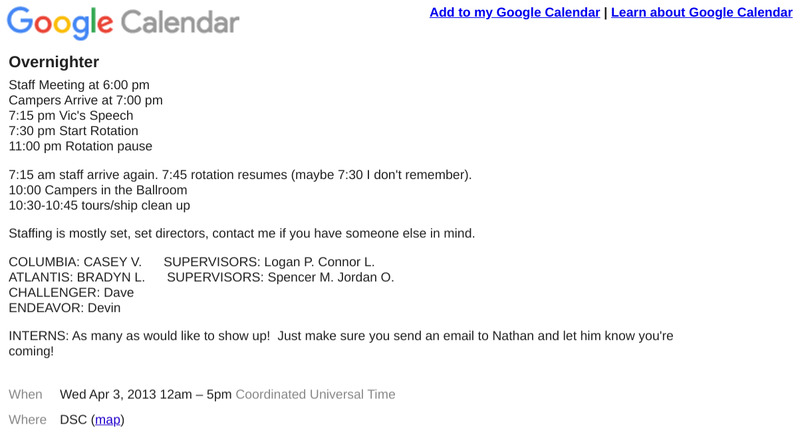
Discovery Overnighter Schedule
This is an example of an schedule for an Overnighter Camp at the Discovery Space Center. This particular schedule is -
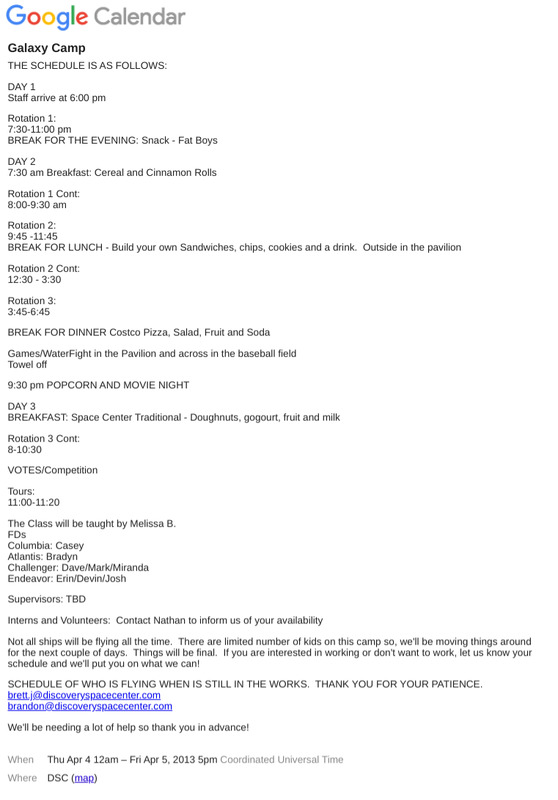
Discovery Galaxy Camp Schedule
This is an example schedule of a Galaxy Camp held at Discovery Space Center early on in it's operation. -
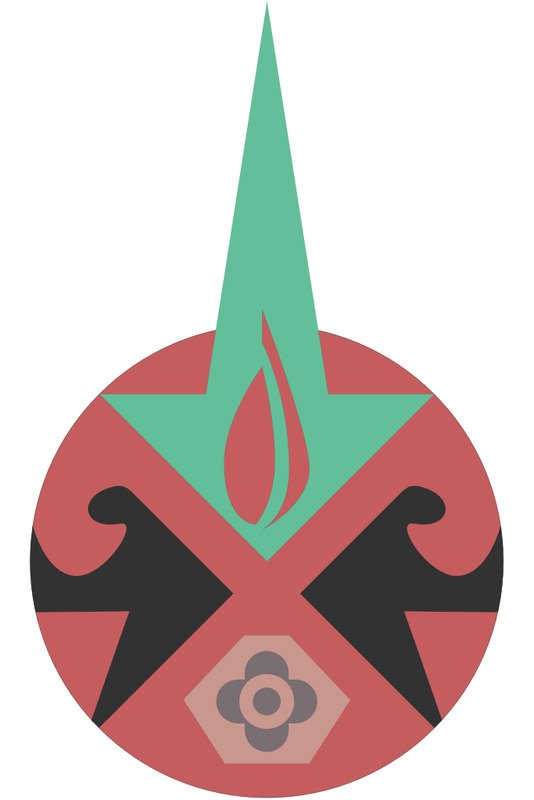
Voyager Logo
The Voyager was to be a multi-universe simulator. My goal at opening was to use the Voyager for outer space, ocean, inner body, and atomic scale missions. You can see those mission elements in the first logo.
Star: For outer space missions
Waves: For ocean (submarine) missions.
Atom: for inner space missions (body and atomic scale)
Flame: Represents the light of education -
Atlantis Long Range Communications Station - Staff Training Video
This video documents a staff training session on the operation and functions of the Atlantis simulator's communications long-range station. The training covers sending and receiving long-distance messages, coordinating with the Colonial Command (Coalcom), and maintaining regular communication during missions. It provides step-by-step instructions for operating the messaging interface, monitoring incoming messages, and ensuring consistent communication to avoid mission complications. -
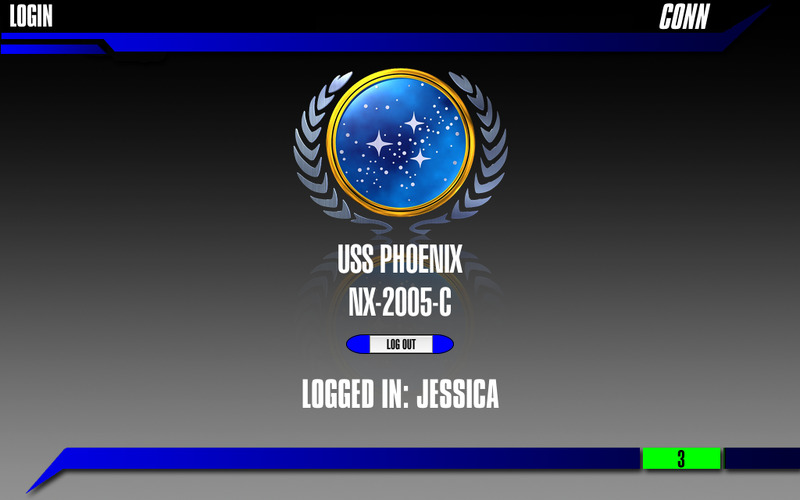
Phoenix Conn Station Circa 2011
This is the Phoenix Conn Station Circa 2011. This station was built in Revolution, and ran on a Macintosh Laptop (mid 2008). This station was programmed by Alex Anderson. -
Atlantis Telephone Station - Staff Training Video
This video provides a detailed walkthrough of the communications telephone station aboard a ship. It demonstrates how the officer in charge manages both internal and external calls, including connecting to main speakers, making ship-wide announcements and contacting personnel on specific rooms or decks. The video also explains technical aspects such as amplitude, frequency, and phase settings for external communications, as well as the use of intercom features for phone conversations within the ship. -
DSC Second Chair - Staff Training Video
This training video explains how to operate the second-chair computer used by supervisors in the control room during missions. It walks through each interface section, including messaging with damage control, medical, and security teams, updating damaged systems, sending scan responses, and managing communications. The instructor emphasizes professionalism, clear spelling, use of all caps, and avoiding punctuation or emoticons to prevent system errors and maintain a military tone. The video also covers creating “second stories” to keep crew members engaged without distracting from the main mission. Additional tools such as parts transfers, probe commands, long-range messaging, and thruster monitoring are explained so supervisors can support the crew effectively and relay critical information to the flight director. -
DSC Damage Report Creation - Staff Training Video
This training video walks viewers through how to correctly create and edit damage reports on the Atlantis bridge computer system. It demonstrates how to access the programming folders, duplicate an existing report, and rename it properly so the system can recognize it. The trainer emphasizes the importance of accurate spelling, simple yet engaging language, and ensuring that each step in the report corresponds to an action that a station can actually perform. The video also explains how to design clear, logical repair steps, including creating damage-control teams and verifying station capabilities before assigning tasks. Finally, it offers general tips for consistency, readability, and using existing reports as models to produce professional, functional damage reports. -
DSC Station Report Creation - Staff Training Video
The video explains how to create non-damage report documents for various station officers using the second-chair computer. It demonstrates where the reports are stored, how to access them, and what elements to include—such as the officer’s name, clear purpose, and actionable steps that match the tools available on their computers. The instructor emphasizes keeping reports simple, accurate, properly formatted, and free of unnecessary graphics that waste ink. Additionally, the video highlights the value of cross-department steps, allowing officers to collaborate with engineering, communications, or damage control. Overall, the training encourages concise, useful reports that keep crew members engaged during slower parts of a mission. -
Atlantis Damage Control Station - Staff Training Video
The video explains how to use the ship’s two interconnected damage control computers: Damage Control and Damage Teams. When a system breaks, it appears on the Damage Report screen, where crew members can select it to view step-by-step repair instructions. Some steps require coordinating with other departments, such as communications, while others involve creating repair teams on the separate Damage Teams computer. By completing each step in order, the damage control officers ensure that the system is properly repaired before moving on to the next issue.